Someone signed into your Google account last Tuesday. Was it you?
Your account keeps a record of every active session. Here's how to review them in three minutes.
InboxPD | Micro PD 002
You got a hardware upgrade. You handed your old work laptop back to IT. You closed all the windows, shut the lid, and walked out with your new machine.
But you never clicked ‘Sign Out.’
That laptop is sitting on a shelf in the IT office right now. When the next person opens Chrome on it, they open your Gmail. Not because they hacked anything. Because you left the door open and walked away.
That is not a saved password. That is not a cached username. That is a live, authenticated session. And it is still running.
The Problem
Here is how Google sessions actually work: When you log in, Google verifies you at the front desk. Password, 2FA, identity confirmed. Then it issues you a building access card. That card is your session. It lets you move freely through your account (Gmail, Drive, Calendar). You do not get checked at every door. The card was issued. The system trusts it.
The card stays active until you explicitly hand it back. Closing your browser windows does not hand it back. Shutting the lid does not hand it back. Handing the device to a technician does not hand it back. The card is still out there, on a device you no longer control, still opening doors.
One more thing. A session and a device are not the same thing. One laptop can hold multiple active sessions. Different browsers. Different apps with account access. Each one is a separate card. You may have more in circulation than you think.
And just like last week: do this check twice. Your work account may have some session management in place. Professional accounts for staff and managers are often less restricted than you would expect. Your personal Gmail has no oversight at all. Two accounts. Two checks. Both matter.
The Solution
Google keeps a live record of every device and session with access to your account. Device type, location, last activity. All of it visible. All of it revocable in seconds.
How
Go to google.com/devices or open your Google Account and tap Security and sign in
Under Your devices, select Manage all devices
Review the list. Select anything you don't recognise and tap Sign out
Anything unfamiliar, revoke it. Any device you no longer own, revoke it. Do it for both accounts.
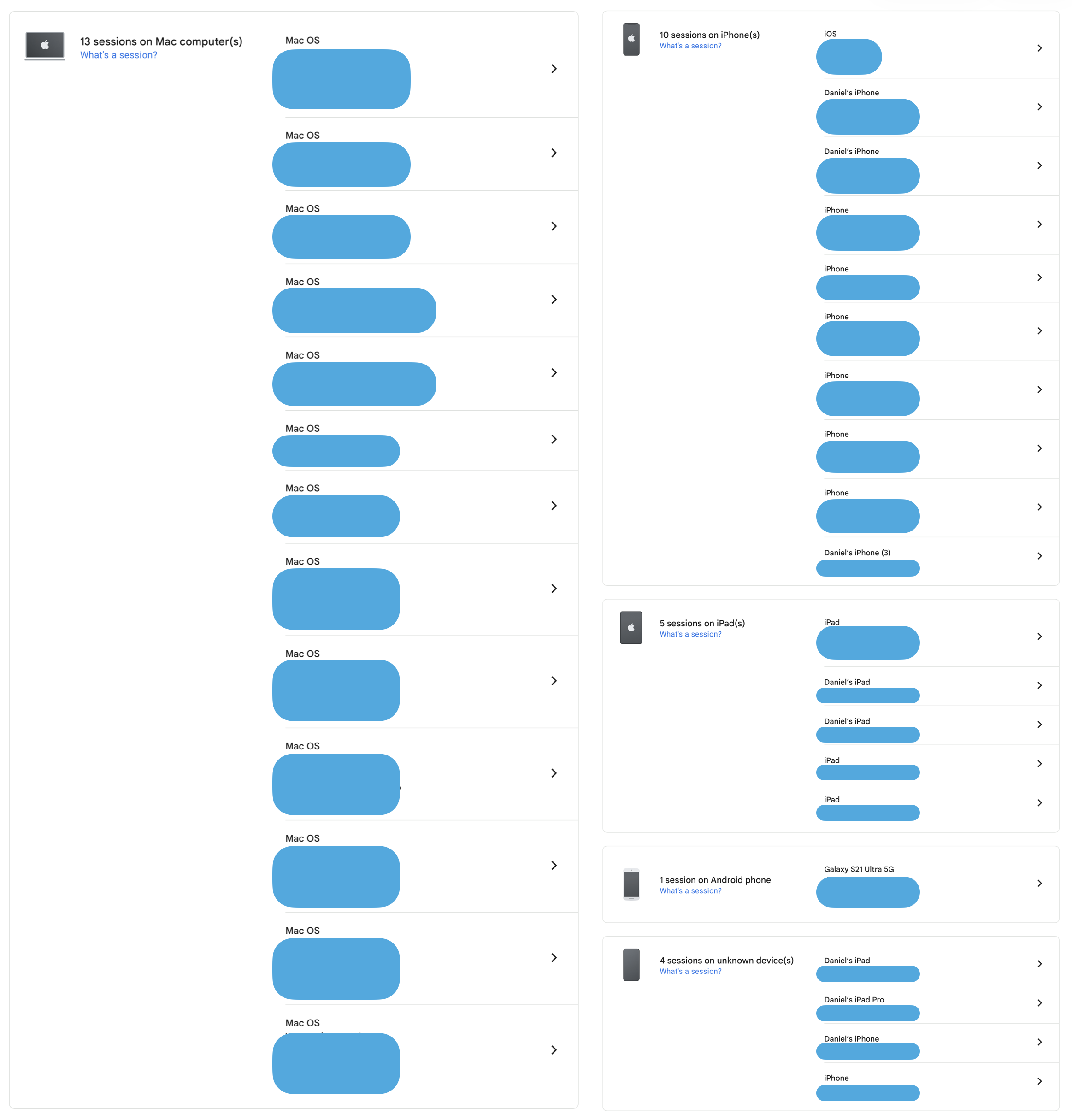
If you're ready to do your check now, go and do it. If not, keep reading.
The Why
Here is what an open session card actually means in practice.
The forgotten device. The laptop scenario above is not an edge case. It is routine. A returned laptop sits in an IT queue for weeks before being reassigned. A personal phone sold online or traded in at a shop. A tablet handed to a family member. In each case the previous owner assumed that closing their apps or handing the device to someone else ended their sessions. It did not.
The access card is still in the building. The next person who picks up that machine opens Chrome. A contractor receives a reassigned laptop and opens Chrome on day one. Neither of them did anything wrong. The card was just never collected.
The hijacked card. If a device you were signed into is later compromised by malware or accessed by someone with physical access, they do not need your password. They do not need your 2FA code. They pick up your session card. They walk straight past the security desk and into your data because the card says they're already verified.
When this happens, the instinct is to change your password. That secures the front desk moving forward. But it does not tell you which cards were already picked up or cancel them automatically. Going directly to google.com/devices and revoking sessions explicitly is the only way to see what was issued and shut it down.
The silent observer. A new login to your account triggers security alerts. Google notices. An existing session that was opened legitimately does not trigger those same alerts. Someone working from a session you forgot about can read your emails, access your files, and monitor your account activity without causing a new login event.
But they can persist for days or weeks, depending on how your administrator has configured your environment. That is a long time to have an uninvited observer in your inbox.
Here is what that access card actually opens. An active Google session gives full access to your emails, your sent mail, your Drive files, your contacts, and your calendar. The data is accessible in any workplace. That means HR conversations, board communications, and confidential planning documents. In a school or healthcare setting, it also means student records, sensitive referrals, and the conversations that were never meant to leave the room. The card opens all of it equally.
Every session you revoke today is a door that closes immediately. You cannot undo what an open session may have already exposed. But revoking unfamiliar sessions right now stops any ongoing access cold. The devices page at google.com/devices gives you that control.
If you manage a team or run a department, this three-minute check is worth sending to everyone on your team who uses Google.
Next week: you have dozens of passwords. You remember about six. We look at why reusing passwords is the single most common cause of credential theft, and why relying on your memory is genuinely unsustainable.