You have dozens of passwords. You only remember about six of them.
Reusing passwords is the single most common cause of credential theft. Here is how to go about sorting your situation in about five minutes.
InboxPD | Micro PD 003
A new tool lands in your inbox, comes across your feed, or is suggested by your algorithm. You decide to check it out. You click the setup link – but there is no sign in with Google, Apple, Facebook option.
You know what you should do: think of a new password.
You do what you shouldn’t: you type the same password you use for everything else.
Of course you do. And hey – this is not a character flaw – it is a predictable response to a near impossible demand. We built a digital world requiring dozens of unique, complex, unmemorable or undecipherable credentials. Then we handed the job of remembering them to human memory – your memory.
You are not the problem. The system is.
The Problem
Your passwords are part of your digital identity. They aren’t just a security detail or part of an unknown process – they reflect your approach to managing your digital identity.
Every forum, app, or one-time tool someone asked you to try. In all of these situations you hand over a copy of your identity and blindly trust their security practices. And you know what? Most of the time those security practices are poor. Want to know why? Because people.
It’s sort of like handing a photocopy of your passport to a barista to join the loyalty programme at your local coffee shop. You would never do that with a physical document because you don’t know who has access to the back room or how they’ll store that piece of paper – in a secure filing cabinet or falling out of a folder amidst a pile of other papers on someone’s desk who is far too busy to properly manage things at work.
But digitally, we do this all the time.
When a company’s database gets breached, attackers take every email and password combination and run them automatically against all sorts of other breach records from Facebook, Instagram, Microsoft, a local banking portal, or an HR platform. This sort of attack has a name – credential stuffing. Not sophisticated, but super fast. Thousands of combinations tested per second. Your passport copy is in someone else’s filing cabinet and they are using it everywhere they can.
Again, you are not the problem; the system is.
The Solution
Stop asking your memory to do a job it was never designed to do.
A password manager generates a unique, complex password for every account. It also stores all of them, requiring you to remember only one master password. Everything else is handled.
Here are three options to consider, depending on your set-up.
Apple Passwords. This app is built into the Apple ecosystem and on every iPhone, iPad, and Mac. It syncs across your Apple devices via iCloud. If you live entirely in the Apple ecosystem, and have clearly drunk the Koolaid, you already have this. Go and use it.
Google Password Manager. This option is built into Chrome and Android. It is already saving passwords you did not know it was saving. If Chrome is your browser of choice, this is already partially running.
Bitwarden. This option is free, open source, and it works everywhere – Windows, Mac, iPhone, Android, any browser. Most professionals end up mixing ecosystems. A Windows PC at work and an iPhone on the go. Chrome in one place and Safari in another. Bitwarden travels with you regardless of device or platform. It is the bridge that the built-in options cannot provide.
How
Choose your manager and install it if needed. Bitwarden is free at bitwarden.com. Apple Passwords and Google Password Manager are already on your devices.
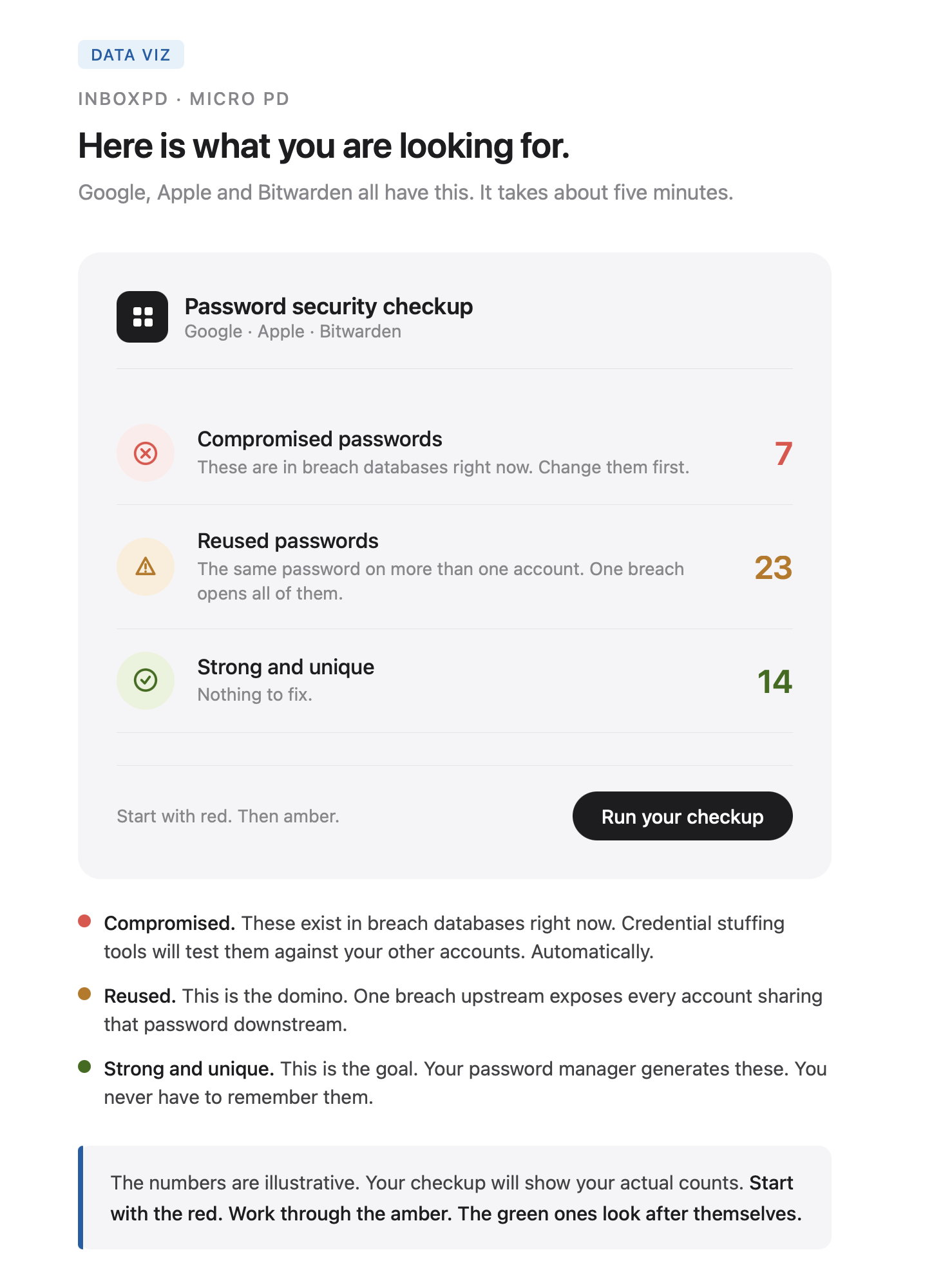
Run the security checkup. In Google: passwords.google.com/checkup. In Apple Passwords: open the app and tap Security Recommendations. In Bitwarden: open the Vault Health Reports tab.
Change every flagged password to a unique one generated by the manager. Start with your email. Then your bank. Then everything else.
Do this for your work accounts and your personal accounts – just like recommendations from the last two weeks, both matter!
If you’re ready to run the checkup now, go and do it. If not, keep reading.
The weak link. Your Gmail password is strong. Your bank password is long. But three years ago you used that same credential on a conference registration platform in a moment when you were late and that platform got breached. You don’t particularly manage your inbox very well – evidenced by the notification icon of 34,569 unread items. You missed their email of breach disclosure and your email and password are sitting together in a leaked database right now. They have probably already been tested against your more important accounts. The weakest point in your security is not the account you worry about – it’s the one that you forgot you even had.
The automated attack. Credential stuffing is not a person at a keyboard. It is a piece of software that runs constantly with no rest needed. It sorts through millions of combinations and tests itself against thousands of sites, and AI is just going to amplify this scenario. The attack does not target you specifically – it targets patterns. If your email and password appear together in any breach database, they will be tested against every major platform within hours. The passport copy is in the wild and people are seeing what they can do with it everywhere.
The memory myth. People reuse passwords not from laziness but because the alternative, coming up with something unique, feels impossible. There are only a few words or combinations of numbers or dates or moments that we feel we can reasonably remember. You likely have more than fifty accounts – do you think you can remember 50 unique sets of credentials with no pattern and no repetition? Yeah, your instinct is correct – human memory cannot do this sustainably. The system is asking you to do something that can’t be done – have your mind replicate the function of an encrypted database. A password manager is not a tool for technical people. It is what should have been built in and required from the start. The demand from the system was already unreasonable.
One reused password connects your least secure account to your most important one. Email, cloud storage, banking portals. One breach upstream exposes everything downstream.
Stop reusing passwords today and commit to every new account getting something unique. The old ones still need updating – take this account by account. Start with your email. The checkups will show you what to tackle next.
If you manage a team or run a department, this five minute checkup is worth sending to everyone on your team.
Next week: a strong unique password is no longer sufficient protection on its own. We’ll look at two-factor authentication, why it stops credential theft cold, and how you can set it up in under three minutes.