
Your work browser and your personal browser should not be the same browser.
Don’t let your worlds collide. Here’s how to separate them in about ten minutes.
You share your screen in a meeting. You start typing the URL or name of the doc you want to pull up. Your browser, trying to be helpful, drops a list of suggestions into the address bar. Some of them are work. One of them is something you searched for at 6:47 AM that you never planned to share with the room.
You close the tab. You laugh it off. Nobody says anything.
But everyone saw.
Nothing secret got exposed. What got exposed was context. A part of your life you keep separate from work just got introduced to work, by a browser that doesn't know the two are supposed to be separate. You never told it.
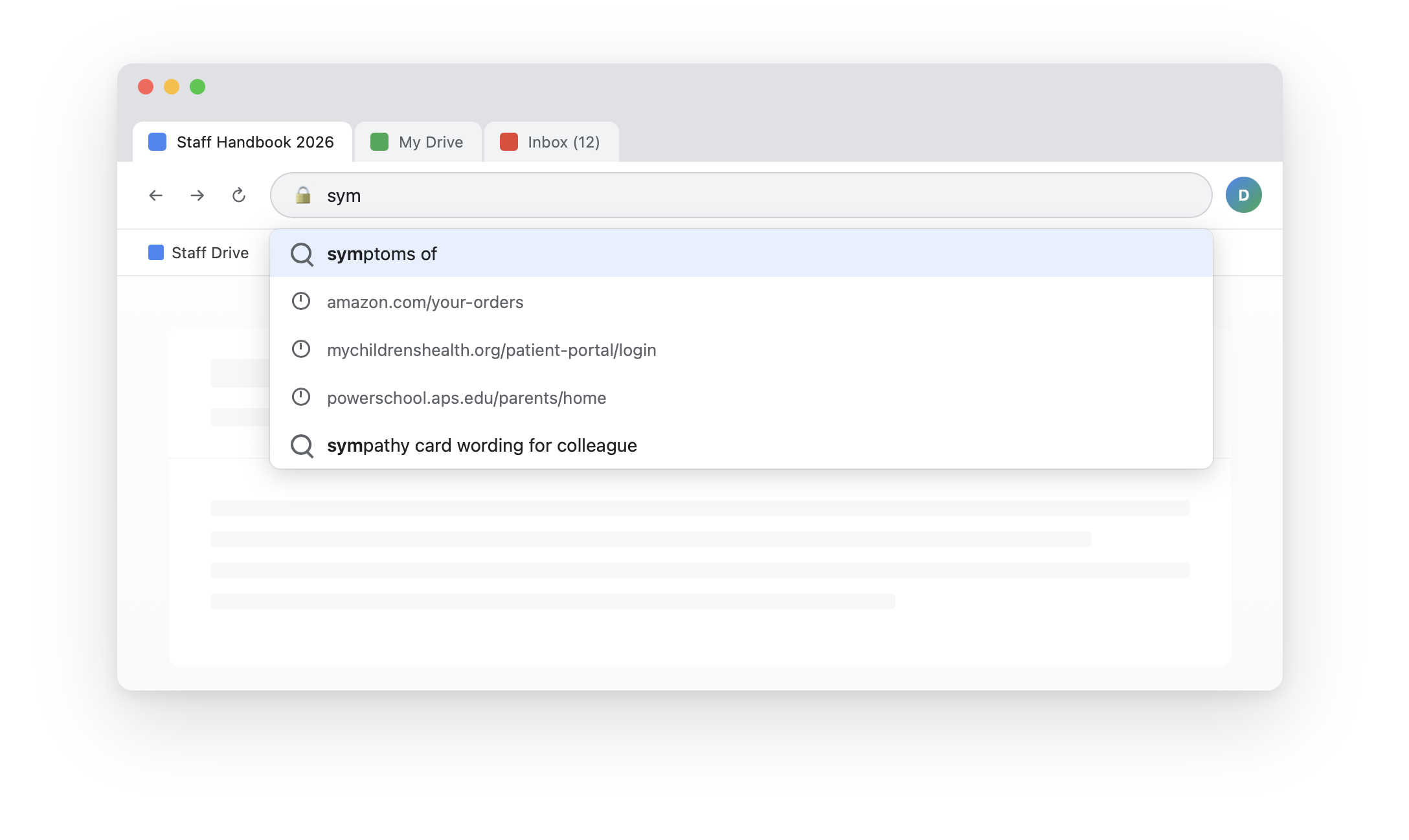
That kind of moment is the one most people shrug off. It’s also the one that gets dismissed with the oldest line in privacy.
I have nothing to hide. So who cares.
That phrase has been doing a lot of damage for a long time. Privacy isn’t about hiding, it’s about boundaries. You close the bathroom door. You draw curtains at night. You don’t read people’s text messages over their shoulders. None of that is because you’ve done something wrong. It’s because some things are yours, and the act of deciding what to share and what to keep is what makes them yours. A browser needs curtains for the same reason a house does.
Then there’s the other version of the same thought. I’m not important enough for anyone to care. Nobody is targeting me. Also reasonable. Also wrong about how this works.
Nobody is targeting you. That’s the point. Trackers, data brokers, and the half-forgotten extensions sitting in your browser toolbar are not looking for you specifically, They harvest in bulk. Every site you visit, every form you autofill, every search you type. You’re not a target. You’re inventory. And inventory that mixes work context with personal context is more valuable than either one on its own, because it’s the cross-reference that makes a profile worth selling. The orthodontist plus the school portal plus the time of day you usually log in. That combination is the product.
Think of your browser profile as a single desk drawer. You opened it, and everything fell out. Personal email, work email, the bank, the kid’s school portal, a job board you forgot you ever signed into, the orthodontist’s site, your Amazon account, the search you ran this morning. All in one drawer. All remembered by the same autocomplete, saved by the same password manager, synced to the same cloud account.
A browser profile is a self-contained box. Inside the box are five things: Your bookmarks, your saved passwords, your typing history (which is what powers autocomplete), your installed add-ons, and the cloud account it's all synced to. On Chrome that's your Google account. On Safari it's your Apple ID. On Edge it's your Microsoft account. On Firefox it's your Firefox account.
Each thing is useful on its own. The trouble is that one box now holds work and personal at the same time. The box doesn't know which is which. It treats it all the same.
That's a problem in two directions.
Your work account is not private. Your employer can see what’s in it. They probably aren’t looking. They might never look. But the data is there, it’s logged, and if anyone ever needs to look, the logs include everything you did inside that account. Every personal thread you tucked in alongside the work browsing. Every search. Every site. The work account is also revocable. You will leave this job someday. When you do, the account gets turned off. If your personal email and your Amazon login and your bank autofill and six years of saved passwords were synced to the Chrome profile attached to that work account, some of that data goes away with the account. Some of it might not. You won’t know which until you try to log into something and find your password isn’t popping up anymore.
The other direction looks worse for the employer. They don’t want to be holding your saved banking credentials. They don’t want your search history sitting in the Workspace account they manage. That’s personal data on their systems with no lawful basis, no specified purpose, no privacy notice covering it. Data protection law has a phrase for this. Purpose limitation. Personal data is supposed to be processed for the specific purposes it was collected for, and nothing else. The employer specified purposes when they set up the work account. Storing your private life wasn’t one of them. Mixing data is bad for both sides of the desk. You just feel it first.
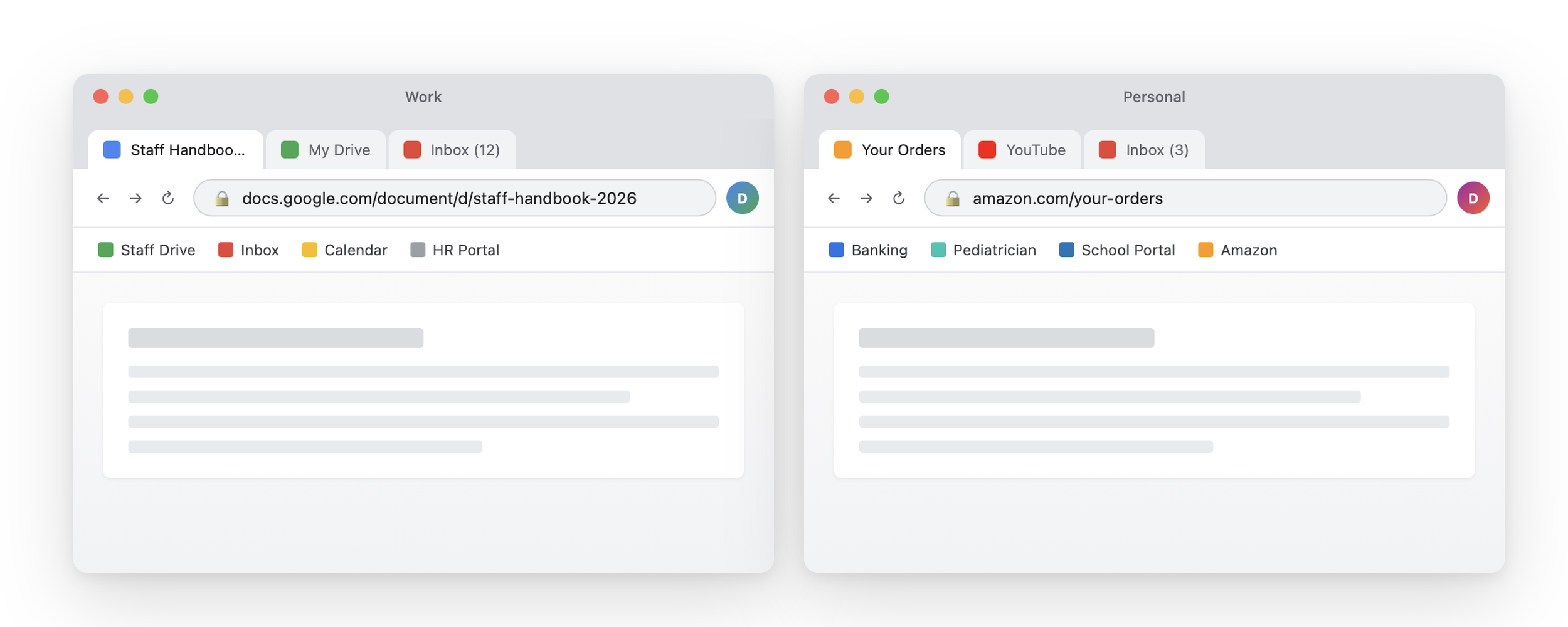
The fix is two drawers. You make a second profile. One for work. One for personal use. They run side by side and don't see each other.
Chrome
Click your profile picture in the top right
Click Add
Create a new profile, name one Work and the other Personal
Sign each into the matching Google account
Edge
Same steps as Chrome: profile menu, Add profile, sign in separately
Firefox
Type about:profiles in the address bar
Create, name, and launch a new profile from there
Sign each one into a different Firefox account if you want sync to stay separate
Safari(needs a footnote)
Open safari, go to the Safari menu, then Settings, then Profiles
Click the plus button and create a profile for each context
Safari profiles separate your history, cookies, tab groups, and which extensions are turned on
They do not separate your saved passwords (passwords live in iCloud Keychain, which is tied to your Apple ID, not to the profile)
The workaround If you want real password separation on a Mac, use two different browsers. Chrome for work, Safari for personal, or the other way around. Two browsers, two accounts, two password stores.
The goal here isn't paranoia. It's proportionality. Your work browser should know about your work. Your personal browser should know about your personal life. Neither one should know much about the other. That's how two offices work. That's how two drawers work. That's how this should work.